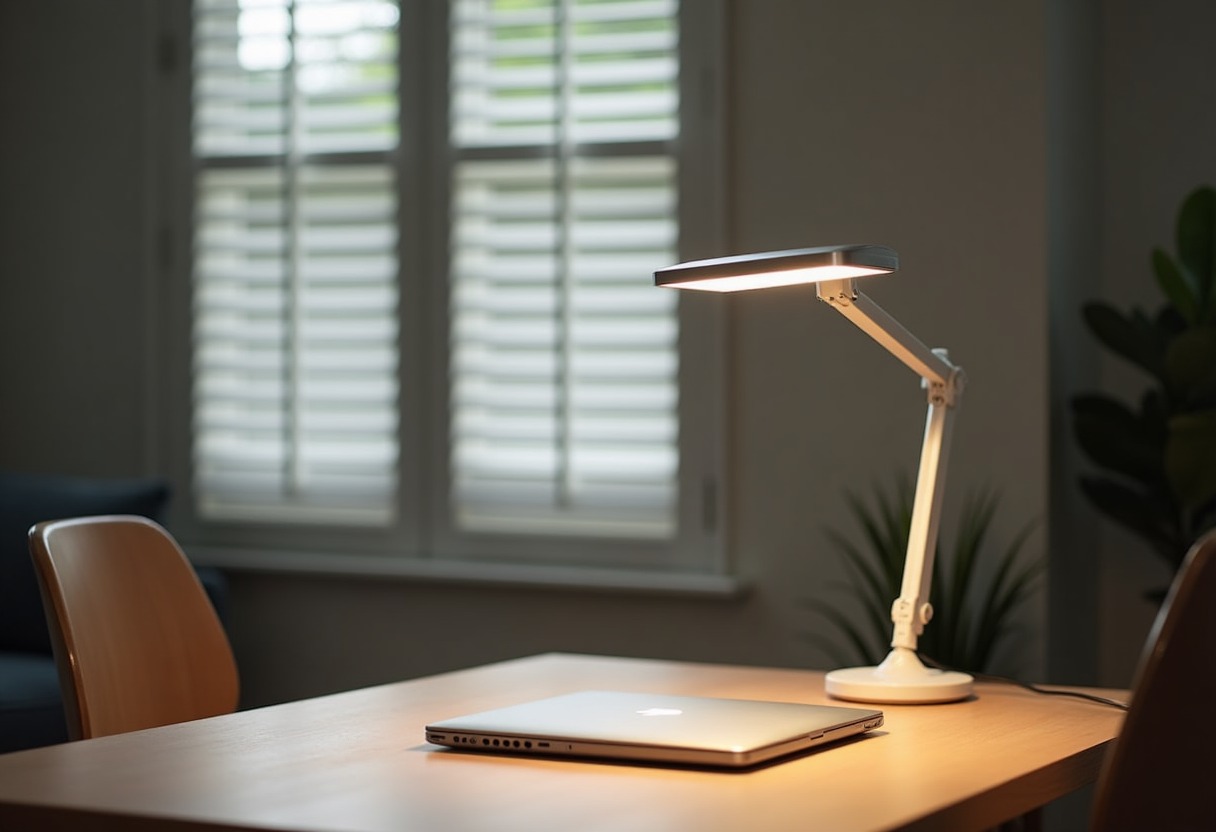
Staring at screens all day while squinting under harsh overhead lighting creates a perfect storm for eye strain, headaches, and plummeting productivity. The right desk lamp eliminates this problem by providing focused, adjustable illumination that works with your screen rather than against it.
Why Proper Task Lighting Matters for Eye Health
Eye strain from poor lighting affects 50-90% of computer workers, according to research from the National Institute for Occupational Safety and Health. Your eyes constantly readjust between bright screens and dim surroundings, causing fatigue that manifests as headaches, blurred vision, and difficulty focusing.
The culprit isn't just insufficient light—it's the wrong type of light. Traditional incandescent bulbs create harsh shadows and uneven illumination. Fluorescent overhead lighting flickers at 60Hz, creating subtle but constant visual stress. LED desk lamps solve both problems with steady, even light output that you can position exactly where needed.
Color temperature matters enormously for computer work. Cool white light (4000-6500K) enhances alertness and reduces the blue light contrast between your screen and workspace. Warm light (2700-3000K) works better for reading printed materials but can make screens appear unnaturally blue.
Essential Features That Actually Reduce Eye Strain
Adjustable brightness control tops every ergonomic lighting recommendation. Your lighting needs change throughout the day as natural light shifts. The best lamps offer stepless dimming or at least five distinct brightness levels. Avoid lamps with only high/medium/low settings—the jumps are too abrupt for comfortable transitions.
Multiple positioning options let you eliminate glare while providing even coverage. Swing-arm designs work best for most setups, allowing you to move light away from your screen while maintaining proper desk illumination. Clamp-on bases free up desk space while providing maximum adjustability.
Flicker-free LED technology prevents the subtle eye strain caused by rapid light fluctuations. Quality lamps use constant-current drivers that eliminate flicker entirely. This feature isn't always advertised prominently, but it makes a noticeable difference during extended work sessions.
Wide, even light distribution reduces harsh shadows that force your eyes to constantly readjust. Look for lamps with diffused LED panels rather than single bright points. The light should spread evenly across your entire work surface without creating hot spots.
Desk Lamp Categories and Performance Comparison
| Lamp Type | Best For | Brightness Range | Adjustability | Price Range | |-----------|----------|------------------|---------------|-------------| | Swing-Arm LED | Multi-monitor setups | 300-1200 lumens | Excellent (360°) | $40-120 | | Clamp-On Task | Small desks | 400-800 lumens | Good (180°) | $25-80 | | Architect Style | Large workspaces | 500-1500 lumens | Very Good | $60-200 | | USB-Powered | Laptop users | 200-600 lumens | Limited | $15-50 |
Top Desk Lamp Recommendations for Different Work Styles
For Multi-Monitor Computer Work: The → Shop adjustable swing arm LED desk lamps on Amazon category delivers the positioning flexibility essential for complex setups. These lamps swing out of the way when needed and provide shadow-free illumination across multiple screens.
For Compact Home Offices: → Shop clamp-on LED task lamps on Amazon maximize your usable desk space while providing excellent task lighting. The clamp mechanism works with desks up to 2.5 inches thick and positions light exactly where you need it.
For Reading and Writing Work: Traditional architect-style lamps with modern LED technology offer the focused beam patterns that make text crisp and comfortable to read. The weighted base stays put during frequent adjustments, and the long arm reaches across large work surfaces.
For Laptop-Only Setups: → Shop USB powered desk lamps on Amazon plug directly into your laptop for portable task lighting. While less powerful than AC-powered options, they're perfect for travel or temporary workspaces.
For Creative Work: → Shop full spectrum LED desk lamps on Amazon provide color-accurate lighting essential for design work, photo editing, or any task requiring precise color judgment.
Just as Best Ergonomic Office Chairs Under 500 support your physical comfort during long work sessions, proper lighting supports your visual comfort and maintains productivity throughout the day.
Advanced Lighting Techniques Most People Miss
The 20-20-20 lighting rule extends beyond screen breaks. Every 20 minutes, adjust your lamp brightness to match changing ambient conditions. This prevents your eyes from adapting to increasingly dim conditions as daylight fades.
Bias lighting dramatically reduces screen-related eye strain by placing a strip of LED lights behind your monitor. This creates a neutral background that reduces the contrast between your bright screen and dark room. The effect is subtle but powerful—many people notice the difference immediately.
Task-ambient layering combines your desk lamp with gentle overhead or wall lighting. The goal isn't uniform brightness everywhere, but rather graduated lighting that eliminates harsh transitions. Your desk lamp provides focused task lighting while ambient sources fill in shadows and provide overall room illumination.
Color temperature scheduling matches your lighting to natural circadian rhythms. Use cooler light (5000-6500K) during morning and afternoon work sessions to maintain alertness. Switch to warmer light (3000-4000K) in the evening to reduce blue light exposure before sleep. Some LED lamps include automatic scheduling features that handle these transitions.
For those setting up complete workspaces, pairing quality lighting with equipment from Best Standing Desks Home Office 2026 creates an environment that supports both physical and visual comfort throughout the workday.
Frequently Asked Questions
What brightness level should I use for computer work? Your desk lamp should provide 300-500 lumens for general computer work, with the ability to increase to 800-1000 lumens for detailed tasks like reading small print or reviewing documents. The key is matching your lamp brightness to your screen brightness—if your screen appears dim compared to your workspace, increase screen brightness rather than decreasing lamp output.
Do expensive desk lamps actually work better for eye strain? Price correlates with features like flicker-free drivers, precise dimming controls, and superior LED quality, but you don't need to spend $200 to get effective eye strain relief. Lamps in the $50-80 range typically include the essential features—adjustable positioning, stepless dimming, and quality LEDs—that make the biggest difference for visual comfort.
Should I use warm or cool light for computer work? Cool white light (4000-5000K) works best during active work hours because it enhances alertness and provides good contrast with most computer screens. Warm light (2700-3000K) is better for evening work sessions or when you're winding down, as it contains less blue light that can interfere with sleep patterns.
How do I position my desk lamp to avoid screen glare? Place your lamp to the side of your monitor at about a 45-degree angle, positioning it so the light hits your desk surface rather than reflecting off your screen. The lamp should be roughly at eye level or slightly behind your monitor's plane to avoid creating reflections in the screen surface.
Can the wrong desk lamp actually make eye strain worse? Absolutely—lamps that flicker, create harsh shadows, or produce uneven light distribution force your eyes to work harder throughout the day. Lamps positioned incorrectly can create glare that's worse than working with no task lighting at all. Cheap LED lamps often lack proper drivers, creating subtle flicker that contributes to headaches and fatigue even when you can't consciously perceive the flickering.
The right desk lamp transforms your workspace from a source of daily eye strain into a comfortable, productive environment that supports hours of focused work.
Some links on this page are affiliate links. We may earn a small commission if you purchase through them, at no extra cost to you.
As an Amazon Associate we earn from qualifying purchases. This article contains affiliate links; if you buy through them we may earn a small commission at no additional cost to you.