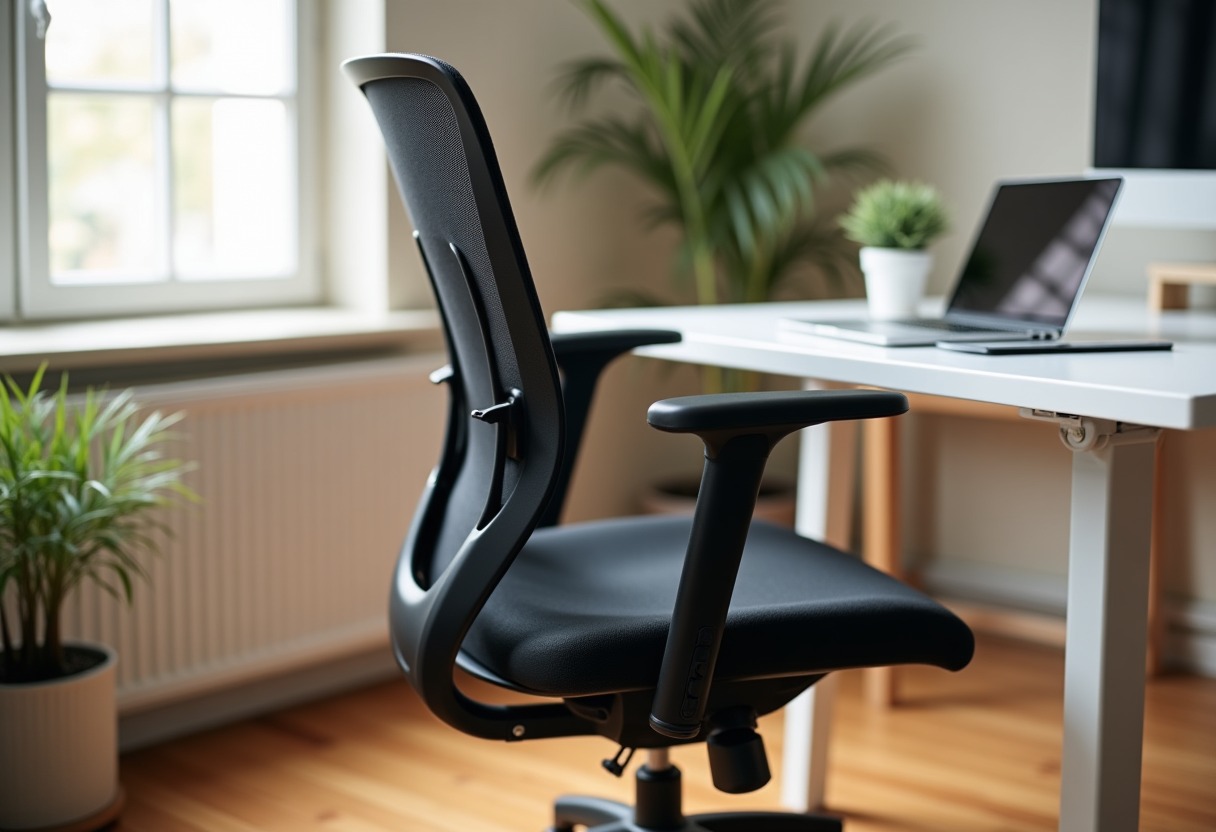
Your back shouldn't feel like it's been through a blender after eight hours at your desk. The right ergonomic chair transforms your workspace from a daily endurance test into a supportive environment where you can actually focus on work instead of shifting positions every ten minutes.
Why Most Office Chairs Fail Your Back
The average person spends over seven hours sitting daily, yet most office chairs treat your spine like an afterthought. Generic task chairs lack proper lumbar support, forcing your lower back into an unnatural C-curve that compresses spinal discs and strains muscles. This poor posture creates a cascade of problems: tight hip flexors, rounded shoulders, and the familiar ache that follows you home each evening.
Quality ergonomic design addresses these issues through adjustable lumbar support that maintains your spine's natural S-curve, seat depth that prevents pressure behind your knees, and armrests positioned to reduce shoulder tension. The American Physical Therapy Association emphasizes that proper chair support significantly reduces the risk of developing chronic back pain and repetitive strain injuries.
The $500 price point represents a sweet spot where you get genuine ergonomic features without paying for premium brand markup or luxury materials that don't improve function.
Essential Features That Actually Matter
Skip chairs with "racing-style" designs or excessive padding that looks comfortable but lacks structural support. Focus on these core elements that determine whether a chair will help or hurt your back over time.
Lumbar support needs both horizontal depth and vertical adjustability. Fixed lumbar bumps rarely align with your specific anatomy, while adjustable systems let you position support exactly where your spine curves inward. The best chairs offer 2-3 inches of forward adjustment and 4-5 inches of vertical movement.
Seat depth affects circulation and posture more than most people realize. You want 2-4 inches of space between the seat edge and the back of your knees when sitting fully back. Seats too deep force you to perch forward, losing lumbar contact. Too shallow creates pressure points behind your thighs.
Armrest adjustability prevents shoulder hunching and wrist strain. Height adjustment is essential, but width and forward/back movement matter equally. Your elbows should sit at 90 degrees with arms relaxed at your sides. If you're pairing your chair with one of the options from our Best Standing Desks Home Office 2026 guide, ensure armrest height works across your desk's range.
Chair Types and Their Trade-offs
| Chair Type | Pros | Cons | Best For | |------------|------|------|----------| | Mesh Back | Excellent breathability, lightweight, modern aesthetic | Can lack padding for long sessions, mesh may sag over time | Hot climates, users who run warm | | Fabric Upholstery | Comfortable padding, wide style options, proven durability | Less breathable, harder to clean, can trap odors | Traditional offices, cooler environments | | Hybrid Mesh/Fabric | Combines breathability with comfort, good all-around performance | More expensive, complex mechanisms | Most users, balanced needs | | Leather/Faux Leather | Professional appearance, easy to clean, durable | Poor breathability, can crack, sticks to skin | Executive settings, occasional use |
Top Ergonomic Chair Recommendations Under $500
Steelcase Series 1 tops my list for its exceptional build quality and genuine Herman Miller DNA at half the price. The PostureFit lumbar support system provides targeted lower back pressure without the bulky feel of traditional lumbar pads. Its 12-year warranty demonstrates Steelcase's confidence in long-term durability. → Shop ergonomic office chair on Amazon
Herman Miller Sayl brings innovative engineering to the sub-$400 range. The suspension back eliminates pressure points while providing excellent airflow, and the frameless design works well in smaller spaces. The fixed armrests may limit some users, but the overall comfort and Herman Miller reputation make this a solid investment.
Autonomous ErgoChair Pro delivers premium features at a budget-friendly price point. Its TPE mesh back material resists sagging better than traditional mesh, while the 6D armrests offer adjustment options typically found on chairs costing twice as much. The headrest pivots to support various working positions. → Shop mesh back desk chair on Amazon
Humanscale Diffrient World strips away unnecessary adjustments to focus on intuitive support. The chair automatically adapts to your body weight and movements without manual controls, making it perfect for shared workspaces or users who want simplicity. The tri-panel backrest provides targeted support without bulk.
IKEA Markus represents exceptional value for occasional users or tight budgets. While it lacks the adjustment range of pricier options, its high backrest and decent lumbar support work well for average-height users. The mesh back stays cool during long sessions. → Shop lumbar support office chair on Amazon
Advanced Setup Tips Most People Miss
Chair height affects everything else, but most users set it wrong. Your feet should rest flat on the floor with thighs parallel to the ground. If your desk is too high after proper chair adjustment, use a footrest rather than raising the chair and losing proper arm positioning.
Lumbar support placement requires precision. The support should contact your lower back about 1-2 inches below your belt line, right where your spine curves inward. Too high supports your mid-back instead of the critical lumbar region. Too low misses the curve entirely.
Break-in periods matter more with higher-quality chairs. Mesh materials and foam compression need 1-2 weeks to adapt to your body shape and weight. Don't judge comfort on day one—give the chair time to work with your posture patterns.
Monitor distance affects how you sit. If your screen is too close or too far, you'll unconsciously lean forward or backward, negating your chair's support. Position your monitor 20-26 inches away with the top third at eye level to maintain proper spinal alignment. → Shop adjustable height desk chair on Amazon
Advanced Ergonomic Considerations
Seat tilt affects pelvic alignment and pressure distribution. A slight forward tilt (1-3 degrees) helps maintain lumbar curve when typing, while a backward tilt reduces disc pressure during phone calls or reading. Look for chairs offering both options rather than fixed positions.
Armrest positioning impacts more than just arms. Improper armrest height forces your shoulders up or down, creating tension that travels up your neck and down your back. Width adjustment prevents your arms from splaying out or cramping inward, both of which affect spinal alignment.
Temperature regulation through breathable materials prevents the shift-and-squirm cycle that breaks good posture. Mesh backs allow airflow, but mesh seats can create pressure points. Fabric with good airflow strikes the best balance for most users. → Shop computer chair with armrests on Amazon
FAQ
How do I know if a chair's lumbar support will fit my back properly? Lumbar support should hit the natural inward curve of your lower spine, typically 1-2 inches below your belt line. Stand against a wall and have someone measure the gap between your lower back and the wall—this tells you how much forward adjustment you need. Chairs with 2-3 inches of lumbar depth adjustment work for most body types, while fixed lumbar supports only work if they happen to match your specific curve location and depth.
Why do some ergonomic chairs feel uncomfortable at first? Your body adapts to poor posture over time, so proper support initially feels foreign. Muscles accustomed to compensating for bad alignment need time to relax and reset. Quality chairs also have break-in periods where materials compress and conform to your body shape. Most users need 1-2 weeks of regular use before experiencing full comfort benefits, though you should feel some improvement within the first few days.
What's the real difference between $200 and $500 ergonomic chairs? Higher-priced chairs typically offer more adjustment points, better materials, and longer warranties. A $200 chair might have basic lumbar support and armrest height adjustment, while a $500 chair adds lumbar depth adjustment, 4D armrests, seat depth options, and premium mesh or foam. Build quality affects longevity—cheaper chairs often use plastic components that fail within 2-3 years, while better chairs use aluminum and steel that last decades.
Should I prioritize mesh back or cushioned seats for all-day comfort? Mesh backs provide better airflow and prevent heat buildup during long sessions, making them ideal if you run warm or work in humid conditions. Cushioned seats offer more immediate comfort but can create pressure points over time if the foam quality is poor. The best combination depends on your body type and preferences—heavier users often prefer cushioned support, while lighter users find mesh more comfortable for extended periods.
How important is a headrest for ergonomic support? Headrests matter most if you frequently recline, take calls, or read documents while leaning back. For active computer work where you lean forward, headrests provide minimal benefit and can actually encourage slouching. If you do choose a headrest, ensure it supports the curve of your neck rather than pushing your head forward. Adjustable headrests work better than fixed ones since neck length varies significantly between users.
The right ergonomic chair transforms your relationship with work, turning hours of discomfort into supported productivity that follows you home in the best possible way.
Some links on this page are affiliate links. We may earn a small commission if you purchase through them, at no extra cost to you.
As an Amazon Associate we earn from qualifying purchases. This article contains affiliate links; if you buy through them we may earn a small commission at no additional cost to you.